X3 Log has been sunset: Read More
X3 Bar App

An X3 Bar Workout App Built for the Details

V3ME gives X3 Bar training a band-first home on your phone. Open a saved workout, record the band and rep result, and use your previous session to plan the next one.

Official V3ME guide · Reviewed July 21, 2026

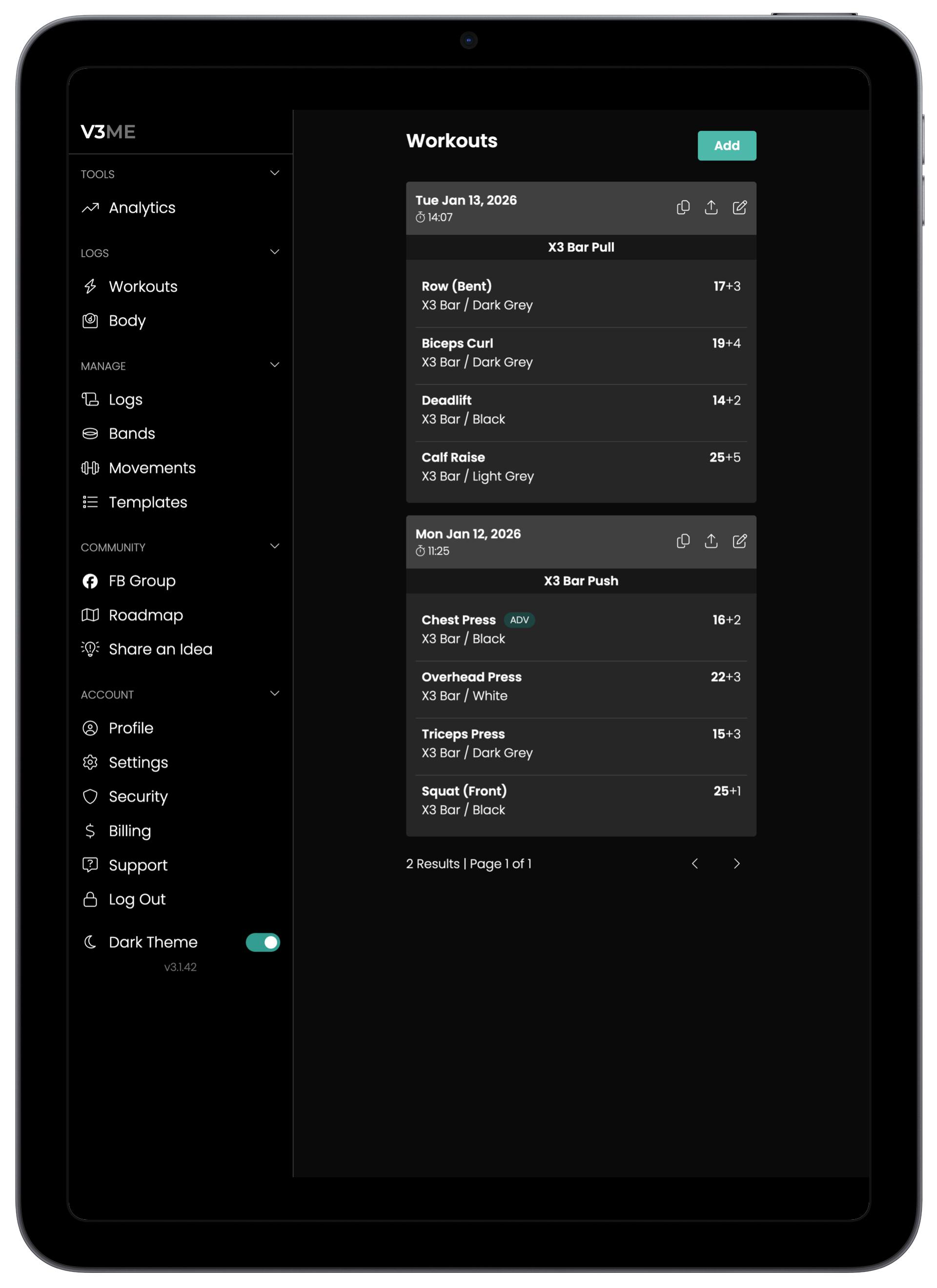
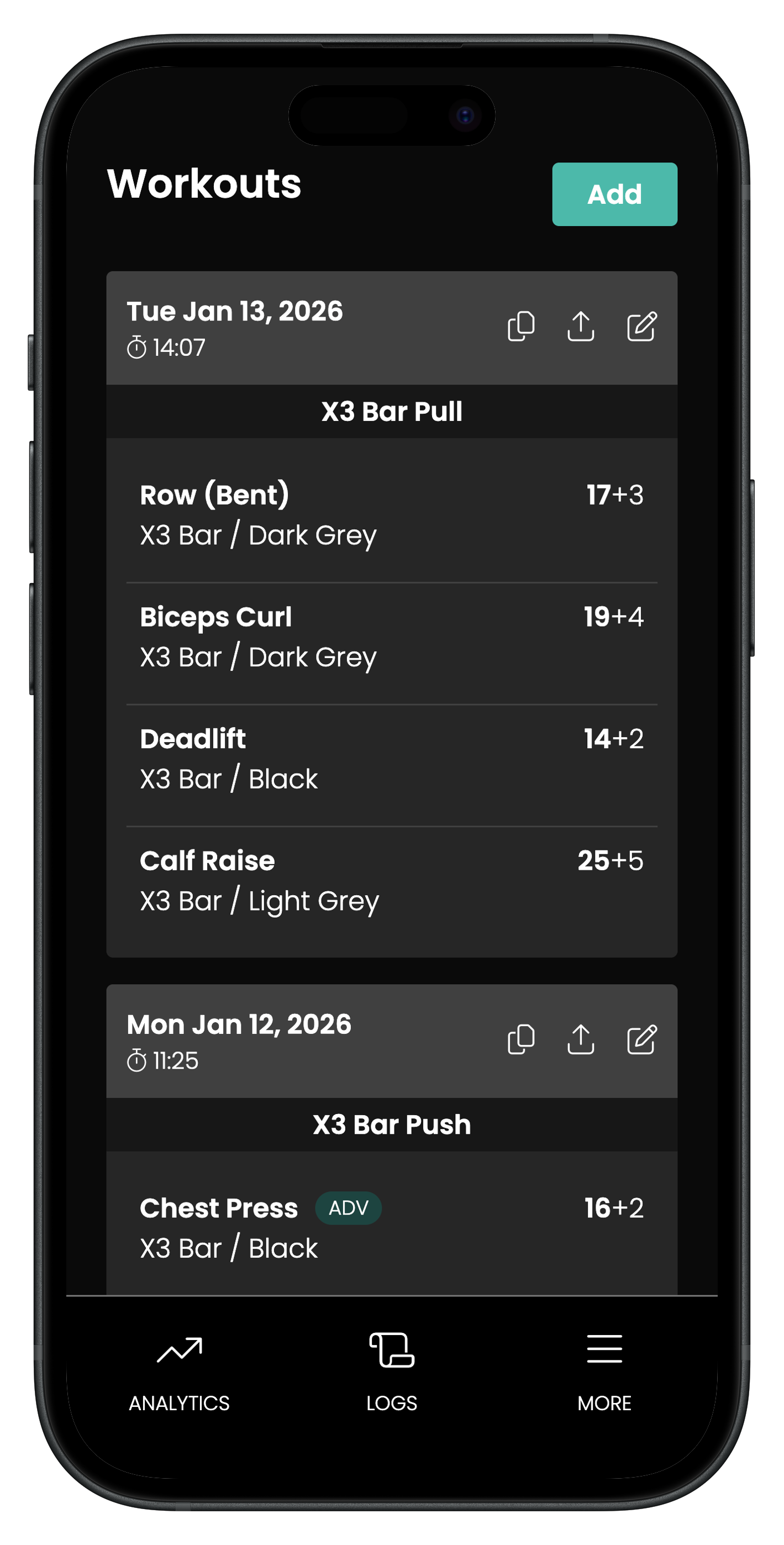
V3ME workout tracker showing resistance band workout history V3ME mobile workout tracker for band-based workouts
1,000,000+
workouts logged
Band-first
built around setup and effort
Photos + Metrics
alongside workout history

Made for X3 Bar users looking for a workout app

Most fitness logs treat bands as an afterthought. V3ME keeps the details that drive your next decision visible, so your log stays useful after the workout ends.

Use V3ME from your phone and add it to your home screen for quick workout access.

Track X3 Bar movements, bands, full reps, partial reps, exhaustion, and notes together.

Start recurring X3 workouts from reusable templates.

Review previous exercise details before choosing today’s band and target.

From First Set to Next Session

A good X3 Bar workout app should disappear while you train and become useful again when you are deciding what to do next.

X3 Bar X3-style programs custom bar-and-band routines
1

Open your saved X3 Bar workout from your phone.

2

Record the band, full reps, partial reps, exhaustion, and notes for each movement.

3

Use the last comparable result to set the next target.

4

Review workout history, progress photos, and body metrics over time.

X3 Bar Workout Tracking on Your Phone

A useful X3 Bar app should be fast enough to use between sets and detailed enough to help at the next workout. V3ME runs as a mobile-friendly web app and can be added to a phone’s home screen, keeping the workout log close without reducing every set to a generic weight field.

  • Open the app from a home-screen icon on iPhone or Android.
  • Keep the movement, band, repetitions, effort, and notes in one record.
  • Use timers for movements or intervals that are not best measured by reps.

A Successor Path for X3 Log Users

V3ME is a separate app built to carry band-first workout tracking forward after the X3 Log sunset. Former X3 Log users can import their history, while any X3 Bar user can start fresh with configurable bands, movements, and templates.

  • Import existing X3 Log workout history when eligible.
  • Configure the app as your X3 routine changes.
  • Track X3 Bar work alongside other resistance-band or free-weight training.

Common Questions

Direct answers for people deciding whether V3ME fits the way they train.

Is there an app for tracking X3 Bar workouts?

Yes. V3ME is a mobile-friendly workout app designed for resistance-band training, including X3 Bar movements, bands, full and partial reps, exhaustion, notes, templates, and history.

Can I add the V3ME X3 workout app to my phone?

Yes. Open V3ME in Safari or Chrome and use Add to Home Screen to launch it from your phone like an app.

Does V3ME replace the old X3 Log app?

V3ME is a separate product and the successor path for X3 Log users. It can import eligible X3 Log history and continue tracking new X3 Bar workouts.

What X3 workout details can V3ME track?

V3ME can track movements, bands, full reps, partial reps, exhaustion levels, timers, notes, workout templates, progress photos, body metrics, and workout history.

Start tracking with V3ME.

Create workout templates, track bands, and keep your training history in one place.